Create Your Website
In 3 Simple Steps
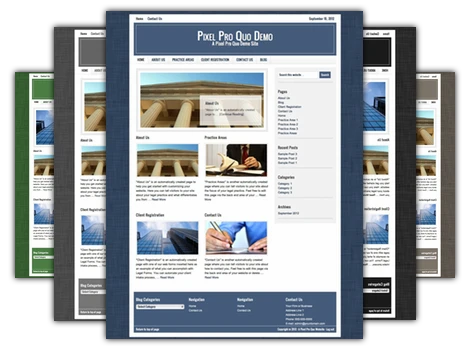
1. Choose a Color Scheme
Our standard Pixel Pro Quo template comes with 10+ color schemes to help make your web presence truly unique. We constantly update and tweak our main theme, adding new color schemes and options so that you can have the personalized look and feel for your website that you deserve.
And if you choose to upgrade you'll gain access to more than 20 additional themes and templates with multiple color schemes for maximum potential to make your site your own.
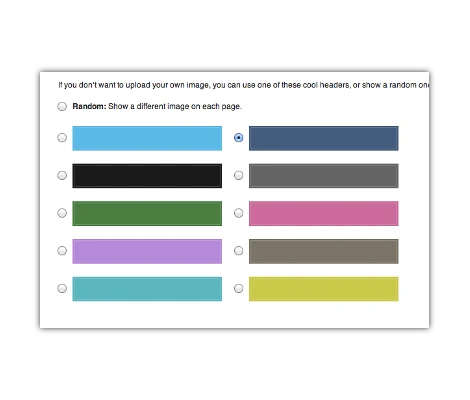
2. Select Your Header & Background
You'll get to do more than just pick an appropriate color scheme--our default theme allows you to upload your own header or logo image. After that, customize your website's background with our color picker tool, or even upload an image to create a one-of-a-kind website that is entirely your own design.
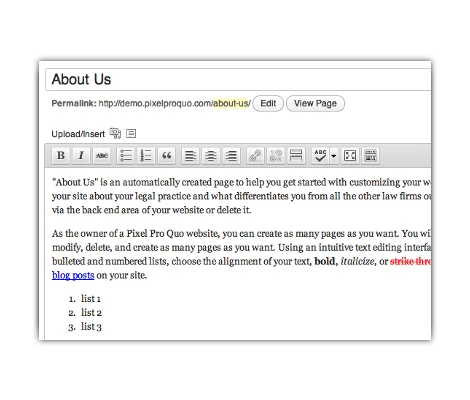
3. Create Web Pages, Add Documents, and More...
Now that you've customized the appearance of your website, add content and create web pages. Through a simple text editor and drag and drop upload features, you can create web pages with text, images, and other media. Because Pixel Pro Quo was created for law firms and small business, you can also take advantage of our document management and web form creation tools. We make creating a dynamic and usable website accessible to every small business.